Summary
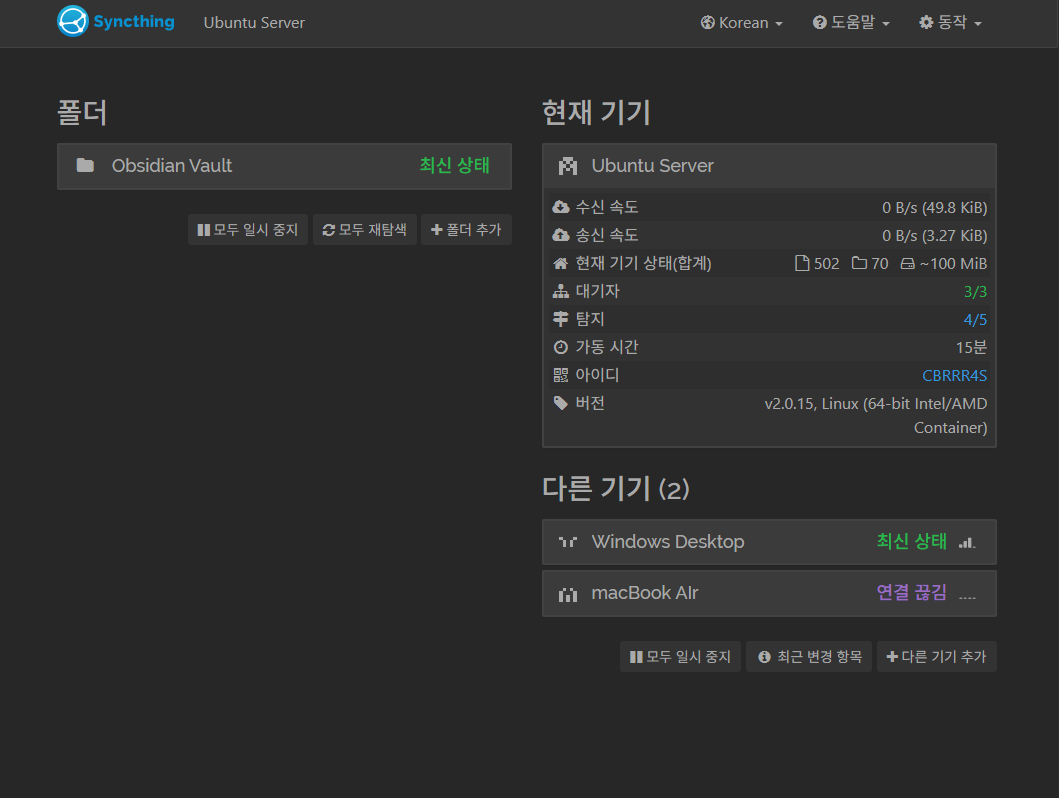
Syncthing을 k3s 환경으로 설치하는 과정을 기록했습니다.
yaml
ConfigMap
Syncthing에 적용되는 환경 변수입니다.
apiVersion: v1
kind: ConfigMap
metadata:
  name: syncthing-config
  namespace: apps
data:
  PUID: "1000"
  PGID: "1000"
  TZ: "Asia/Seoul"
Tip
별 내용 없기 때문에 그냥
Deployment객체에 합쳐도 상관없습니다.
PVC
Syncthing의 설정 데이터 저장소를 요청합니다.
apiVersion: v1
kind: PersistentVolumeClaim
metadata:
  name: syncthing-pvc
  namespace: apps
spec:
  accessModes:
    - ReadWriteOnce
  storageClassName: local-path
  resources:
    requests:
      storage: 2Gi
Web ervice
Syncthing의 GUI 웹의 내부 네트워크와 관련된 설정입니다.
apiVersion: v1
kind: Service
metadata:
  name: syncthing-gui-svc
  namespace: apps
spec:
  type: ClusterIP
  selector:
    app: syncthing
  ports:
    - name: web-gui
      port: 80
      targetPort: 8384
Sync Service
Syncthing의 동기화 통신용 네트워크 관련 설정입니다. 실제 다른 노드들과 통신해야하므로 LoadBalancer를 사용합니다.
apiVersion: v1
kind: Service
metadata:
  name: syncthing-sync-svc
  namespace: apps
spec:
  type: LoadBalancer
  selector:
    app: syncthing
  ports:
    - name: sync-tcp
      protocol: TCP
      port: 22000
      targetPort: 22000
    - name: sync-udp
      protocol: UDP
      port: 22000
      targetPort: 22000
    - name: discovery-udp
      protocol: UDP
      port: 21027
      targetPort: 21027
Deployment
apiVersion: apps/v1
kind: Deployment
metadata:
  name: syncthing
  namespace: apps
  labels:
    app: syncthing
    category: file-sync
spec:
  replicas: 1
  selector:
    matchLabels:
      app: syncthing
  template:
    metadata:
      labels:
        app: syncthing
    spec:
      containers:
        - name: syncthing
          image: lscr.io/linuxserver/syncthing:2.0.15

          envFrom:
            - configMapRef:
                name: syncthing-config

          ports:
            - containerPort: 8384
              name: web-gui
            - containerPort: 22000
              name: sync-tcp
              protocol: TCP
            - containerPort: 22000
              name: sync-udp
              protocol: UDP
            - containerPort: 21027
              name: discovery-udp
              protocol: UDP

          # ==========================================
          # 헬스체크
          # ==========================================
          livenessProbe:
            httpGet:
              path: /rest/noauth/health
              port: 8384
            initialDelaySeconds: 30
            periodSeconds: 60
            timeoutSeconds: 10
            failureThreshold: 3
          readinessProbe:
            httpGet:
              path: /rest/noauth/health
              port: 8384
            initialDelaySeconds: 15
            periodSeconds: 15

          # ==========================================
          # 리소스 제한
          # ==========================================
          resources:
            requests:
              cpu: "100m"
              memory: "128Mi"
            limits:
              cpu: "1.0"
              memory: "1Gi"

          # ==========================================
          # 볼륨 마운트
          # ==========================================
          volumeMounts:
            - name: syncthing-config-data
              mountPath: /config
            - name: obsidian-vault-data
              mountPath: /obsidian-vault

      volumes:
        - name: syncthing-config-data
          persistentVolumeClaim:
            claimName: syncthing-pvc
        - name: obsidian-vault-data
          hostPath: # 공유를 원하는 로컬의 폴더를 지정합니다.
            path: /home/junbeom/obsidian-vault
            type: DirectoryOrCreate
Ingress
Syncthing의 HTTP/HTTPS 요청 관련 통신 규칙 설정입니다. Traefik으로 SSL인증서를 발급하고 internal-only MiddleWare를 사용하여 내부망 통신만 가능합니다.
apiVersion: networking.k8s.io/v1
kind: Ingress
metadata:
  name: syncthing-ingress
  namespace: apps
  annotations:
    cert-manager.io/cluster-issuer: "letsencrypt-cloudflare"
    traefik.ingress.kubernetes.io/router.middlewares: "apps-internal-only@kubernetescrd"
spec:
  ingressClassName: traefik
  tls:
    - hosts:
        - sync.junbeom.work
      secretName: syncthing-tls-secret
  rules:
    - host: sync.junbeom.work
      http:
        paths:
          - path: /
            pathType: Prefix
            backend:
              service:
                name: syncthing-gui-svc
                port:
                  number: 80
Tip
모든 객체는
syncthing.yaml에 포함됩니다.
Installation
kubectl apply -f syncthing.yamlSuccess