Summary
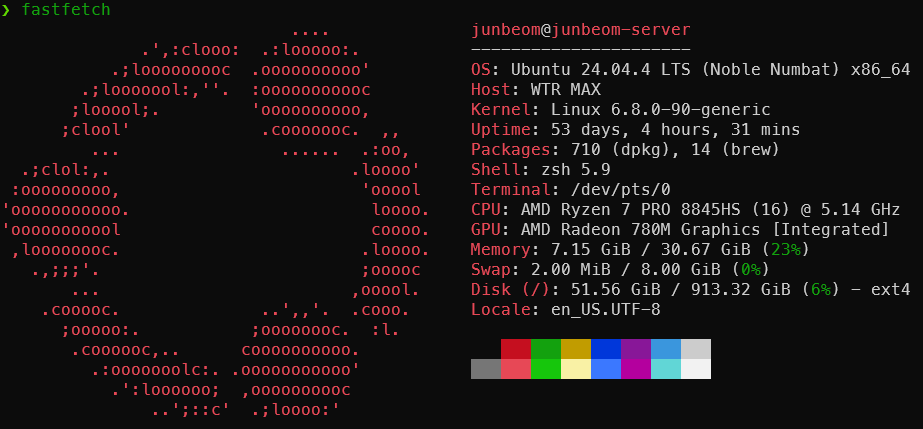
PC의 제원을 출력해주는 도구인 fastfetch의 설치, 설정 및 사용법에 대해 정리했습니다.
Overview
- System 정보를 로고와 함께 예쁘게 보여주는 CLI 툴
- 기존
neofetch대비 C로만 작성해서 더 빠르게 보여줌
Requirements
Setup
Installation
macOS / Linux
brew install fastfetchWindows
scoop install fastfetchConfiguration
출력 항목 설정
Info
기본
fastfetch는 너무 많은 정보를 담고 있기 때문에 설정을 통해 원하는 정보만 추출할 수 있다.
1. 설정 파일 만들기
# directory 설정
mkdir -p ~/.config/fastfetch

# config 파일 생성
fastfetch --gen-config
2. config 파일 수정
{
  "$schema": "https://github.com/fastfetch-cli/fastfetch/raw/master/doc/json_schema.json",
  "modules": [
    "title",
    "separator",
    "os",
    "host",
    "kernel",
    "uptime",
    "packages",
    "shell",
    "display",
    "de",
    "wm",
    "wmtheme",
    "theme",
    "icons",
    "font",
    "cursor",
    "terminal",
    "terminalfont",
    "cpu",
    "gpu",
    "memory",
    "swap",
    "disk",
    "localip",
    "battery",
    "poweradapter",
    "locale",
    "break",
    "colors"
  ]
}- config.jsonc 파일이 생성되는데 원하지 않는 정보를 삭제하면 된다.
Usage
fastfetchExample