Summary
Uptime Kuma의 알림 기능인 Notification 설정에 대해서 정리했습니다. ** Quick Links**
Notification
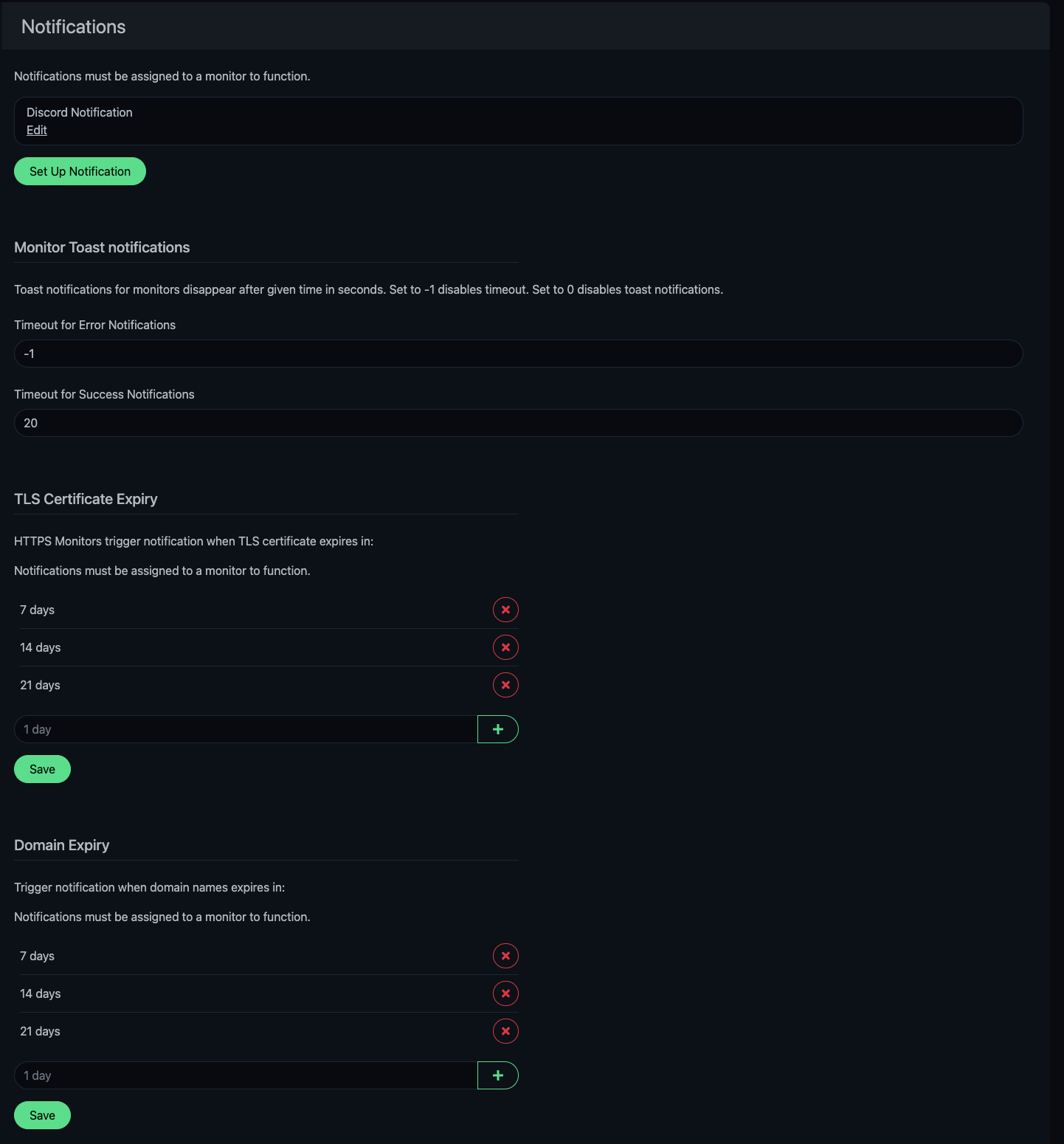
- Setup Notification : 새로운 알림 방법을 생성한다.
- Monitor Toast notifications : 웹 화면 알림 설정
- TLS Certificate Expiry : TLS/SSL 만료 예정일 알림
- Domain Expiry : 도메인 만료 예정일 알림
Setup Notification
Discord Notification
Slack, Telegram 등 여러 방법이 있지만 Discord 기준으로 설정했습니다.
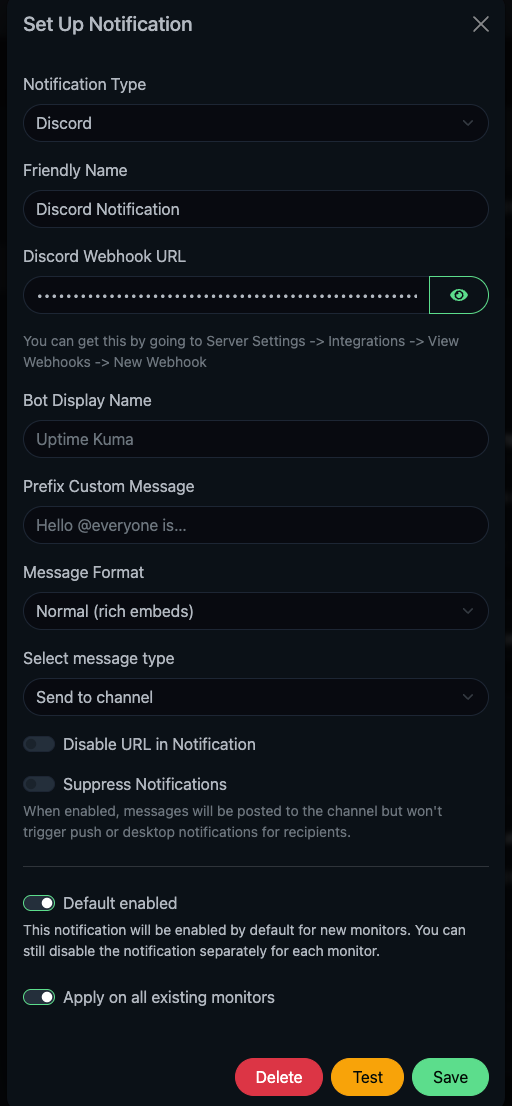
| Options | Description |
|---|---|
| Notification Type | 알림 받을 대상을 설정합니다. |
| Friendly Name | 알림의 별칭을 설정합니다. |
| Discord Webhook URL | Discord의 웹훅 URL을 입력합니다. |
| Bot Display Name | Discord에서 어떤 이름으로 보일지 설정합니다. |
| Prefix Custom Message | 알림 앞에 어떤 말을 붙일지 설정합니다. |
| Message Format | 알림의 형식을 정합니다. |
| Select Message Type | Discord에서 알림을 어떻게 표현할지 설정합니다. |
| Disable URL in Notification | 알림 메시지에 해당 서비스의 URL을 보이지 않게 합니다. |
| Suppress Notification | 알림은 보내지만 Discord에서 수신자에게 푸시 알림으로 보이지 않게 합니다. |
| Default enabled | 새로운 모니터를 생성 시 기본으로 적용합니다. |
| Apply on all existing monitors | 모든 모니터에 알림을 적용합니다. |
Discord Webhook Setting
서버 설정 → 연동 → 새 웹후크 → URL 복사
주의
Notification의 옵션들은 Notification Type에 따라 변경될 수 있습니다.